为了不让阿里云的codingplan吃灰
我在家里云wsl安装了openclaw,考虑到以后可能在mac也安装所以记录一下是怎么做的,每一步前面是省流,后面是参考链接
需要提前准备好nodejs,pnpm环境
从 pnpm 的全局配置中删除 ignoredBuiltDependencies 这一项设置。
pnpm config delete ignoredBuiltDependencies --global如果不小心skip了build可能用得到
如果是始终允许build
pnpm config set dangerouslyAllowAllBuilds true -g安装汉化版
好像是l站佬友做的,ai自动定时汉化
pnpm install -g @qingchencloud/openclaw-zh@latestopenclaw onboard --install-daemon安装clawhub
pnpm add -g clawhub接入飞书
npx -y @larksuite/openclaw-lark install扫码操作即可
流式输出与显示耗时,状态展示
openclaw config set channels.feishu.streaming true
openclaw config set channels.feishu.footer.elapsed true
openclaw config set channels.feishu.footer.status true
设置多任务并行、独立上下文
openclaw config set channels.feishu.threadSession true机器人可在话题群/消息群话题模式中,针对每个话题拥有独立上下文以及多任务并行。
覆盖tools
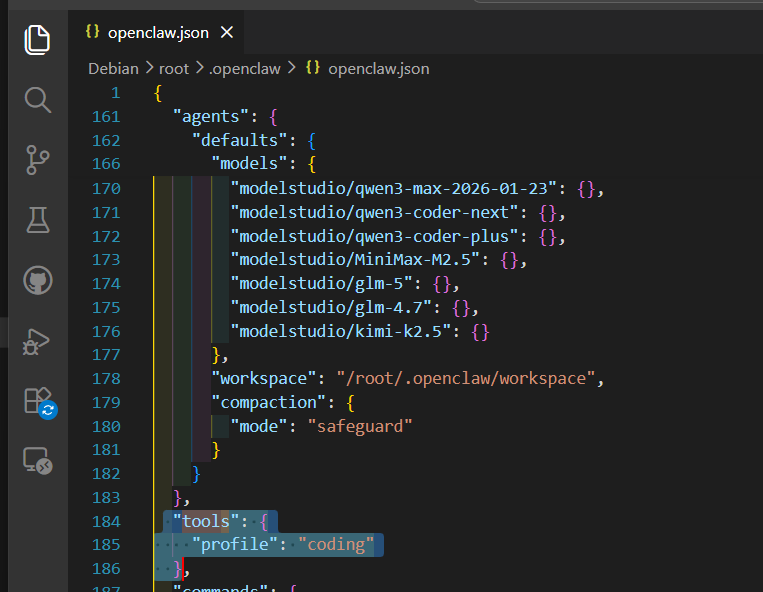
"tools": {
    "profile": "full",
    "sessions": {
      "visibility": "all"
    }
  },
重启
openclaw gateway restartOpenClaw飞书官方插件上线|一文讲清功能、安装更新教程与常见问题! - 飞书官网
增大超时时间
openclaw config set agents.defaults.timeoutSeconds 1800# 安装几个推荐skill
## 记忆
* 安装 QMD(推荐 npm 预编译版):`pnpm install -g @tobilu/qmd`
初始化 QMD 索引(必做)cd ~/.openclaw/workspace
qmd collection add .
export HF_ENDPOINT=https://hf-mirror.com
qmd embed # 可选:BM25 已可用
qmd status
一键安装脚本与 cron jobs
bash scripts/setup.sh --tz Asia/Shanghai
[dztabel-happy/openclaw-memory-fusion: 🧠 OpenClaw 融合记忆方案 — 三层 cron 自动记忆提取/蒸馏/巩固,零插件、零侵入、永不失忆](https://github.com/dztabel-happy/openclaw-memory-fusion)

## 操作codex开发的skill
clawhub install codex-agent-enhanced
[geq1fan/codex-agent-enhanced: Codex Agent Enhanced (基于 dztabel-happy/codex-agent 优化)](https://github.com/geq1fan/codex-agent-enhanced)

## 解决path问题

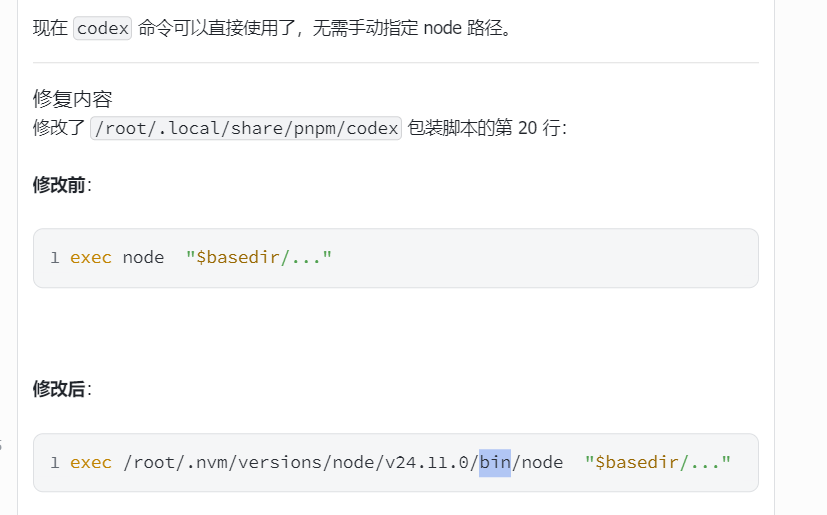
默认可能会出现codex环境找不到nodejs这种的问题,因为没有path

在 ~/.codex/config.toml 里这样写(覆盖或新建):
顶层配置(允许登录 shell)
allow_login_shell = true
Shell 环境策略
[shell_environment_policy]
inherit = "all" # 继承全部环境变量(包括你的 PATH)
experimental_use_profile = true # ← 关键!让 Codex 通过你的 .bashrc 启动子进程
ignore_default_excludes = true # 可选:防止敏感变量被自动过滤(nvm 不会被误杀)
如果还是不行可以让openclaw帮忙修复一下